Facebook Face Search: Find People by Photo (2026)
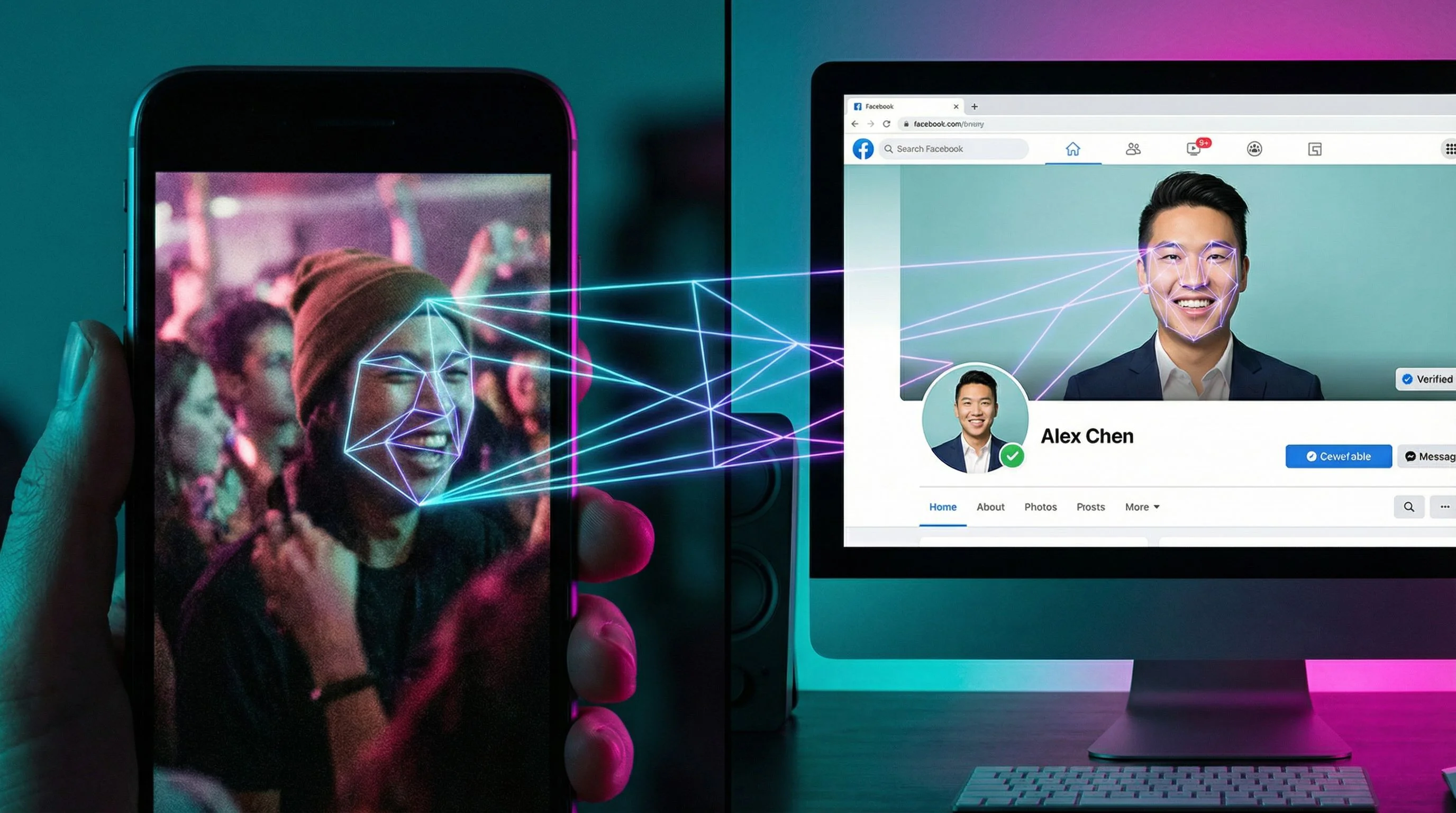
You have a photo of someone and you want to find their Facebook profile. Maybe it's a person you met at an event, someone from a dating app who seems suspicious, or a face in an old group photo you can't put a name to. Whatever the reason, your first instinct is probably to search Facebook directly. Here's the problem: Facebook made that nearly impossible.
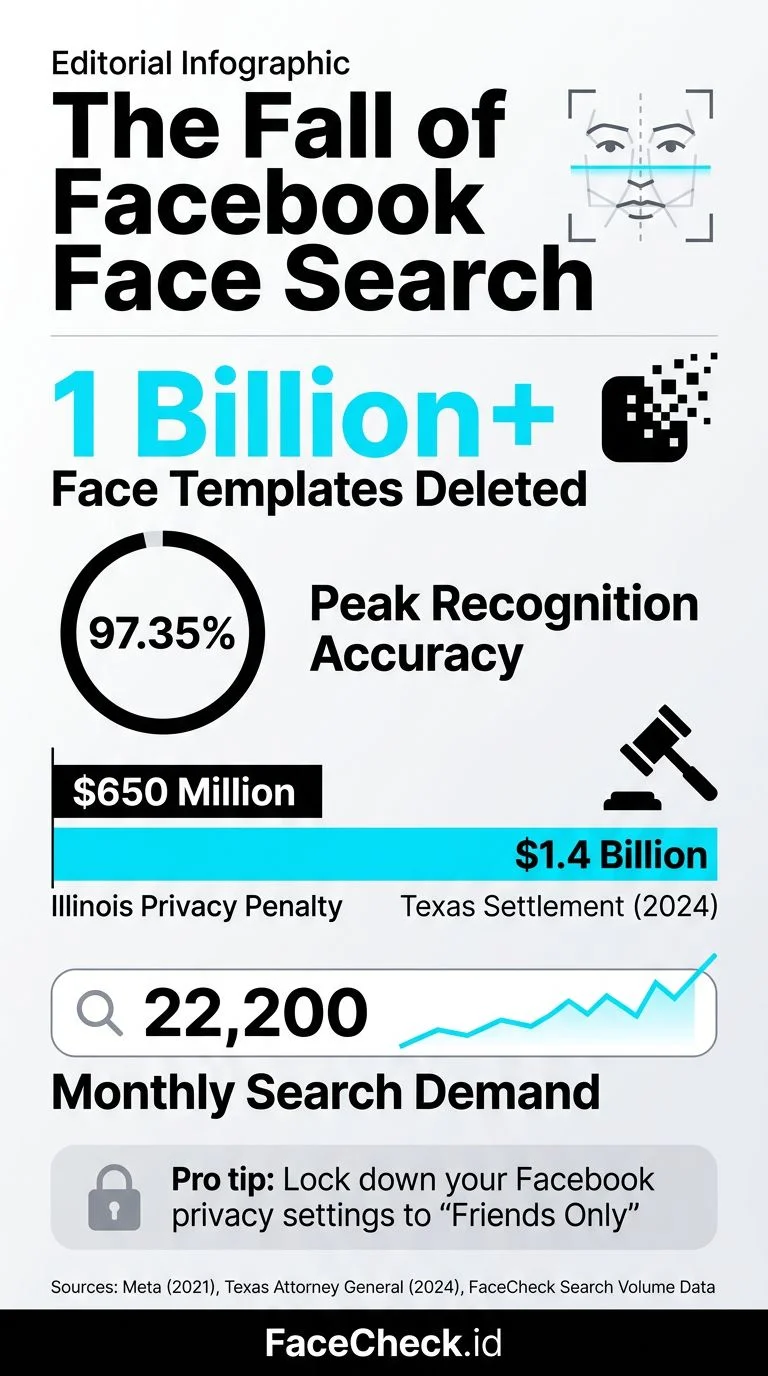
In November 2021, Meta shut down Facebook's facial recognition system and deleted the face templates of more than one billion users. The feature that once let you tag friends automatically? Gone. And with it went any native way to search Facebook by uploading a photo.
So how do you actually find someone's Facebook profile using just their face? You use external tools that still index public Facebook photos. Here's what works right now.
In this article, we're going to discuss
- Why You Can't Search Facebook by Photo Anymore
- What About Google Reverse Image Search?
- Tools That Actually Search Facebook by Face
- How to Find Someone on Facebook by Photo Using FaceCheck.id
- Can You Search Someone's Facebook Photos Without Being Friends?
- Is It Legal to Search for Someone's Facebook by Photo?
- What If the Person Isn't on Facebook?
Why You Can't Search Facebook by Photo Anymore
Facebook used to be the largest facial recognition database in the world. At its peak, the system could recognize faces with 97.35% accuracy, rivaling human performance. But after years of lawsuits (including a $650 million settlement in Illinois over biometric privacy violations) and growing regulatory pressure, Meta pulled the plug.
What this means for you:
- No face search on Facebook. You cannot upload a photo and find matching profiles.
- No auto-tagging. The feature that suggested who to tag in photos is disabled.
- Saved face data was deleted. Meta claims all stored face templates were erased.
Facebook's own search bar only works with names, locations, workplaces, and schools. If all you have is a photo, Facebook's built-in tools are useless.
What About Google Reverse Image Search?
The next thing most people try is Google Reverse Image Search. Upload the photo, see what comes back. For objects, landmarks, and memes, Google works great. For finding a specific person? Almost never.
Google intentionally limits facial recognition in its image search results. Google Lens will sometimes match celebrities or public figures, but for regular people, you'll get results like "man in blue shirt" or visually similar stock photos. It won't link you to their Facebook profile.
Yandex used to be better at matching faces than Google, and it still occasionally surfaces useful results. But it's inconsistent and doesn't specifically search social media profiles.
Tools That Actually Search Facebook by Face
A few specialized face search engines index publicly available photos from social media platforms, including Facebook. They work by comparing the facial geometry in your uploaded photo against their database of indexed public images.
FaceCheck.id
FaceCheck.id is built specifically for searching faces across social media, news sites, and public web pages. Unlike Google or Yandex, it uses actual facial recognition technology optimized for finding people, not objects.
Here's what makes it different for Facebook searches:
- It indexes public Facebook profile pictures and photos
- Results include direct links back to the source profile
- It works with partial faces, older photos, and different angles
- You get results in seconds, not hours of manual scrolling
When I tested it with a photo from a networking event, FaceCheck returned the person's Facebook profile, their LinkedIn, and a local news article they appeared in. All from one selfie.
PimEyes
PimEyes is another face search engine that crawls publicly available images. It's decent at finding faces across the web, but it focuses more on general web pages than social media specifically. PimEyes also has a higher price point and has faced criticism over privacy concerns in several European countries.
Social Catfish
Social Catfish offers reverse image search as part of a broader people-search service. It can sometimes surface Facebook profiles, but it's slower and often requires a paid subscription to see full results. Better suited for background checks than quick face searches.
How to Find Someone on Facebook by Photo Using FaceCheck.id
Here's the step-by-step process:
- Go to FaceCheck.id and click the upload area
- Upload the photo you want to search. Crop it so the face is clearly visible. The tool works best when the face takes up at least 30% of the image
- Click "Search Internet by Face" and wait a few seconds
- Review the results. Each result shows a matching face with a confidence percentage and a link to the source page. Look for Facebook profile links (facebook.com URLs) in the results
- Click through to verify. Open the Facebook profile to confirm it's the right person. Check mutual friends, location, and other details that match what you know
Tips for better results:
- Use the clearest, most recent photo you have
- Front-facing photos work best, but FaceCheck handles angles well
- If the first photo doesn't return results, try a different one of the same person
- Screenshots from video calls or dating apps work, just crop to the face
Can You Search Someone's Facebook Photos Without Being Friends?
This depends on the person's privacy settings. Facebook lets users control who can see their photos, profile picture, and tagged images.
What's always public:
- Current profile picture (thumbnail version)
- Cover photos
- Profile pictures history (unless manually hidden)
What might be restricted:
- Tagged photos
- Photo albums
- Photos on their timeline
Even if someone's Facebook is locked down, their current profile picture is almost always visible. That's the photo most face search engines index. So even a "private" Facebook user can potentially be found through their profile picture.
Is It Legal to Search for Someone's Facebook by Photo?
In most countries, searching for publicly available information is legal. Facebook profile pictures are public by default. Using a tool like FaceCheck.id to find a matching public photo is no different from using Google to search for someone's name.
That said, what you do with the information matters:
- Legal: Checking if a dating match is real, verifying a business contact, finding an old friend
- Gray area: Monitoring an ex, searching for someone who blocked you
- Illegal: Stalking, harassment, using results to discriminate in hiring (in jurisdictions with biometric privacy laws like Illinois' BIPA)
Use common sense. If you wouldn't want someone doing it to you, reconsider.
What If the Person Isn't on Facebook?
FaceCheck.id doesn't only search Facebook. It indexes photos from Instagram, Twitter/X, LinkedIn, news articles, blogs, and other public sources. So even if someone deleted their Facebook or never had one, you might still find them through other platforms.
If you're specifically trying to find a Facebook profile and the face search doesn't return one, it likely means:
- Their profile picture isn't publicly visible
- They use an avatar or non-face image as their profile photo
- Their account is deactivated or deleted
- The photo you're searching is too different from their current profile picture
FAQ
Does Facebook still have facial recognition?
No. Meta disabled Facebook's facial recognition system in November 2021 and deleted over one billion stored face templates. There is no native way to search Facebook by uploading a photo.
What is the best way to find someone on Facebook with just a photo?
Use a dedicated face search tool like FaceCheck.id. Upload the photo, and the tool will compare it against indexed public Facebook photos and return matching profiles with direct links.
Can someone find my Facebook profile from my photo?
If your Facebook profile picture is set to public (which it is by default), face search engines can index it. To reduce visibility, you can change your profile picture to something that doesn't show your face, or adjust your privacy settings to limit profile picture visibility.
Is FaceCheck.id free to use?
FaceCheck.id offers free searches with limited results. For full results including all matching profiles and source links, a paid plan is available. One search often provides enough to confirm whether someone has a Facebook presence.
How accurate is face search for finding Facebook profiles?
Accuracy depends on photo quality and whether the person has a public profile picture showing their face. With a clear, front-facing photo, tools like FaceCheck.id can match faces with high confidence even across different ages and lighting conditions.
Ready to find that Facebook profile? Upload a photo at FaceCheck.id and see what comes back.

Read More on Reverse Image Search
FaceCheck No Results? Why Face Search Comes Back Empty (and How to Fix It)
An empty face search usually means the photo, not the person, is the problem. Here are the nine most common reasons FaceCheck.ID finds nothing, how to fix each one, and how to tell when 'no results' is simply the honest answer.
Popular Topics
Face Search Engine Social Media Image Search Facial Recognition How To Facebook Instagram Facial Recognition Technology Social Media Profiles Twitter Find Someone LinkedIn Catfishing PimEyes Biometric How to Find Someone Find Facebook Profiles How to Find Someone on Facebook Privacy Laws Screenshot Google Lens Face SearchTop Reverse Image Search Tools: PimEyes vs FaceCheck Detailed Analysis