How to Search for a Person Online by Photo
You have a photo of someone and you need to know who they are. Maybe it's a dating profile that feels off. Maybe someone is using photos you don't recognize. Maybe you just matched with someone on Tinder and want to verify they're real before meeting up alone. Whatever the reason, you're here because you want to search for a person using their picture, and you want something that actually works.
Here's the problem: most of the "reverse image search" tools people recommend are terrible at finding people. Google Lens will match your photo to a random stock image. TinEye finds copies of the exact same image, not the same face. Pinterest results are useless. You need a tool built specifically for face matching, and there are only a handful that exist.
In this article, we're going to discuss
Why Regular Reverse Image Search Fails for People
Google's reverse image search was built to find similar-looking images, not similar-looking faces. Upload a headshot and you'll get results like "man in blue shirt" or links to stock photo sites. It matches colors, composition, and objects. It does not map facial geometry.
TinEye is better for a different problem: finding where a specific image has been posted online. If someone stole your exact photo and reposted it, TinEye might find it. But if the person took a different selfie at a different angle, TinEye won't connect the dots. It's matching pixel patterns, not faces.
Yandex Images is actually the best of the general search engines for faces (more on that below), but it still misses a lot and has serious privacy concerns since your uploaded images pass through Russian servers.
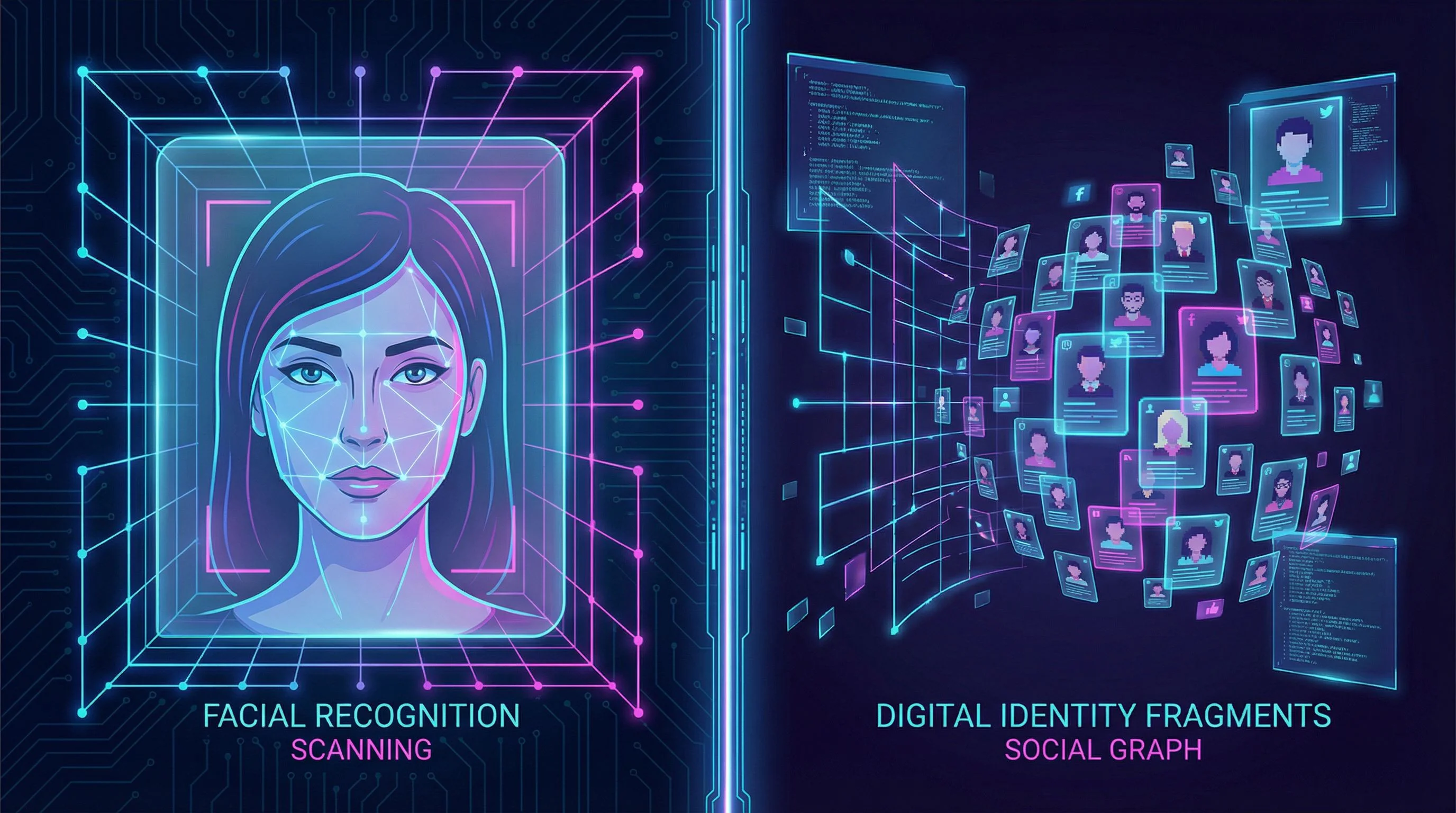
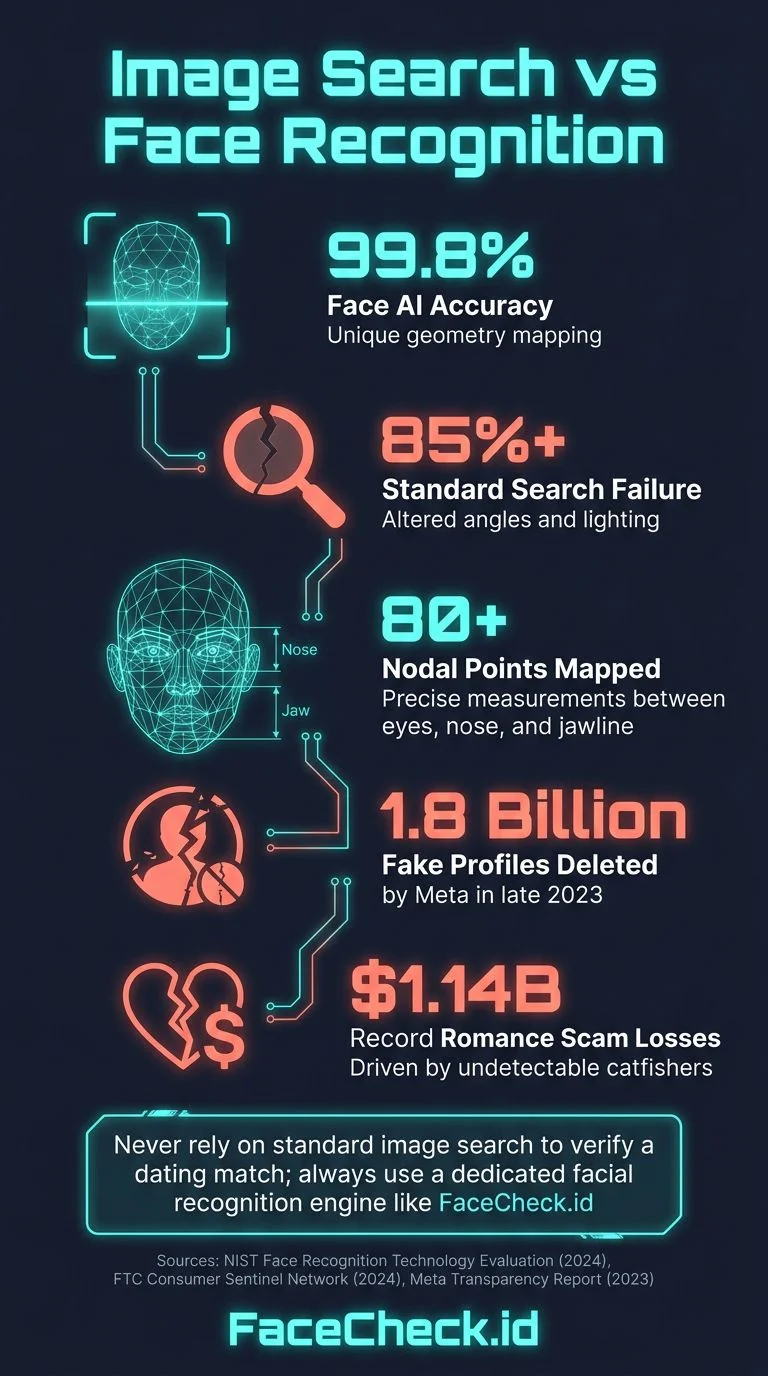
The core issue: face recognition and image recognition are fundamentally different technologies. Image search compares what an image looks like. Face search maps the unique geometry of a face, the distance between eyes, nose shape, jawline, and searches for that same face across millions of photos regardless of angle, lighting, or background.
What Actually Works in 2026
Let's cut to it. If you want to search for a person by their photo, here are the tools that use real facial recognition technology:
FaceCheck.id
This is the one I recommend for most people. FaceCheck.id is a dedicated face search engine that scans social media profiles, news sites, mugshot databases, and public web pages. You upload a face photo, and it returns other photos of that same person found across the internet, along with links to where those photos appear.
In my testing, I uploaded a photo and got results in about 3 seconds, with links to 4 different social media profiles. The accuracy is genuinely impressive for front-facing photos with good lighting. It struggles more with extreme side angles or very low-resolution images, which is honestly true for any face recognition system.
What sets it apart: FaceCheck.id searches places that Google doesn't index well, like dating profiles, social media accounts, and forum posts. It's specifically built for the "who is this person?" question.
PimEyes
PimEyes is another face search engine, but it's geared more toward professionals and comes with a higher price tag. The free version gives you blurred results (basically useless). Paid plans start around $30/month. It's powerful but expensive for someone who just needs to check one photo.
Yandex Images
The Russian search engine's image search is surprisingly good at matching faces compared to Google. It's free. The trade-off: you're uploading photos to servers in Russia, and Yandex's privacy policy is not exactly reassuring. For non-sensitive searches, it's worth a try. For anything involving personal safety, think twice about what you're uploading.
Social Catfish
Primarily marketed as a dating verification service. It combines image search with name/phone/email lookups. Pricier than FaceCheck.id and in my experience slower and less accurate for pure face matching. Better if you have additional details beyond just a photo.
How to Search for a Person with FaceCheck.id
Here's the step-by-step:
- Go to FaceCheck.id. No account needed to start.
- Upload a clear face photo. Front-facing works best. The bigger and clearer the face, the better your results. Crop it to just the face and upper shoulders if possible.
- Click Search. The system maps the facial features in your photo and compares them against its database.
- Review results. You'll see matching faces ranked by confidence score, with links to the source pages. Click through to verify.
- Check multiple results. Don't just look at the top match. Scroll through. Sometimes the second or third result is the one that confirms what you suspected.
Tips for better results:
- Use the clearest photo you have. Blurry screenshots from video calls don't work well.
- Front-facing photos with even lighting get the best matches.
- If the first photo doesn't get results, try a different photo of the same person.
- Photos where the face takes up a large portion of the frame outperform full-body shots.
When You Should Search for Someone by Photo
This isn't about being paranoid. It's about being smart. Here are situations where a face search makes sense:
Online dating verification. The FTC reported $1.14 billion lost to romance scams in 2023, and the number has only gone up since. If you're about to meet someone from a dating app, running their photo through a face search takes 10 seconds and could save you from a catfish, or worse.
Checking on someone your kid is talking to online. If your teenager is chatting with someone they met on Instagram or Discord, a quick face search can tell you if that person's photo shows up linked to other identities, or if it's a stolen photo being used by someone pretending to be a peer.
Verifying a freelancer or business contact. Hired someone online and something feels off? A face search can confirm whether the person behind the profile photo has a real, consistent online presence.
Identifying someone from a photo. Maybe you took a photo at an event and can't remember someone's name. Maybe you found an old photo and want to reconnect. Face search works for benign purposes too.
What Face Search Can't Do (Honest Limitations)
No face search tool is 100% accurate. Here's what to expect:
It won't find everyone. If someone has very few photos online, or their privacy settings block indexing, they may not appear. FaceCheck.id searches a massive database, but the internet is bigger.
Side-angle and low-res photos struggle. Face recognition needs to map facial geometry. If the photo is blurry, dark, or taken from the side, accuracy drops significantly. This is a physics problem, not a software problem.
Sunglasses and heavy makeup reduce accuracy. Anything that obscures the natural facial structure (large sunglasses, costume makeup, face masks) makes recognition harder.
False positives happen. You might get results that look similar but aren't the same person. Always verify by checking the source page and comparing multiple photos. Don't jump to conclusions from a single match.
It's a starting point, not proof. A face search result tells you where a similar face appears online. It doesn't prove someone is a scammer, a liar, or dangerous. Use it as one data point alongside other research.
Is It Legal to Search for Someone by Photo?
Yes, in most countries, searching for publicly available photos of someone is legal. You're searching information that's already public on the internet. Face search engines like FaceCheck.id only index publicly accessible content.
Where it gets complicated:
- GDPR (Europe): People have the right to request removal of their data. FaceCheck.id offers an opt-out.
- BIPA (Illinois, USA): Has specific biometric privacy laws. Using a face search for personal verification purposes is generally fine, using it for employment screening without consent is not.
- Stalking and harassment: Legal tools can be used for illegal purposes. Using face search to stalk, harass, or intimidate someone is a crime regardless of the tool.
The simple rule: if your intent is personal safety, verification, or reconnecting with someone, you're on solid legal ground. If your intent is to harm, control, or harass, no technology makes that legal.
Free vs. Paid: What's the Difference?
Free options (limited):
- Yandex Images: free, decent at faces, Russian servers
- Google Lens: free, bad at faces, good at objects
- TinEye: free, finds exact image copies only
Paid options (actually work for faces):
- FaceCheck.id: affordable per-search pricing, best for casual users who need to check a few photos
- PimEyes: $30+/month subscription, geared toward ongoing monitoring
- Social Catfish: $6-27/month, combines image search with background checks
For most people who just need to verify one or two photos, FaceCheck.id's per-search model makes the most sense. You're not paying monthly for something you use twice.
FAQ
Can I search for a person using a screenshot from social media?
Yes. Screenshots from Instagram, Facebook, Tinder, WhatsApp, or any other platform work. The higher the resolution, the better the results. Avoid screenshots of screenshots, as each generation loses quality. Save the original image directly if possible.
How accurate is face search technology?
Modern face recognition systems like FaceCheck.id achieve over 95% accuracy on clear, front-facing photos in good lighting. Accuracy drops with poor photo quality, extreme angles, or significant facial obstructions like sunglasses. No system is perfect, so always verify results by checking the source.
Will the person know I searched for them?
No. Face search engines like FaceCheck.id do not notify the person being searched. The search is private. The only person who sees the results is you.
Can I find someone's social media accounts with just their photo?
Yes, that's one of the primary uses. FaceCheck.id indexes public social media profiles (Facebook, Instagram, LinkedIn, Twitter, and others). If the person has public photos on these platforms, the face search will likely find them and show you the direct links.
What if I don't get any results?
It means the person either has very few public photos online, their privacy settings block indexing, or the photo quality wasn't good enough for a match. Try a different photo if you have one. Some people simply have minimal online presence, especially older adults or people who are intentionally private.
Ready to find out who's in that photo? Upload it at FaceCheck.id and see what comes back.

Read More on Search by Image
Searching Instagram by Photo: A Guide to Finding People and Accounts
Got a photo but no username? Instagram's search won't help you find someone from just a picture. Here's the workaround that lets you match any face to an Instagram profile - even when you have zero other details to go on.
On the subject in other languages
 Como pesquisar uma pessoa online pela foto
 如何通过照片在线搜索某个人
 Jak vyhledat osobu online podle fotografie
 So suchen Sie online anhand eines Fotos nach einer Person
 Cómo buscar a una persona en Internet mediante una foto
 Comment rechercher une personne en ligne à partir d’une photo
 Come cercare una persona online tramite foto
 写真からオンラインで人物を検索する方法
 사진으로 온라인에서 사람을 검색하는 방법
 Jak wyszukać osobę w internecie na podstawie zdjęcia
 Как найти человека в интернете по фотографии
 كيفية البحث عن شخص عبر الإنترنت باستخدام صورته
 Bir Kişiyi Fotoğrafıyla İnternette Arama
Popular Topics
Face Search Engine Identity Social Media Image Search Facial Recognition Social Media Account How To Facebook Instagram Facial Recognition Technology Social Media Profiles Twitter TinEye Image Search Tool Find Someone LinkedIn Scammers Catfishing Romance Scam PimEyes Mugshots Online Dating Yandex Images Biometric Privacy Laws Screenshot Google Lens Image Lookup Face Search Face MatchTop Reverse Image Search Tools: PimEyes vs FaceCheck Detailed Analysis