How to Find Someone on TikTok by Photo (2026)
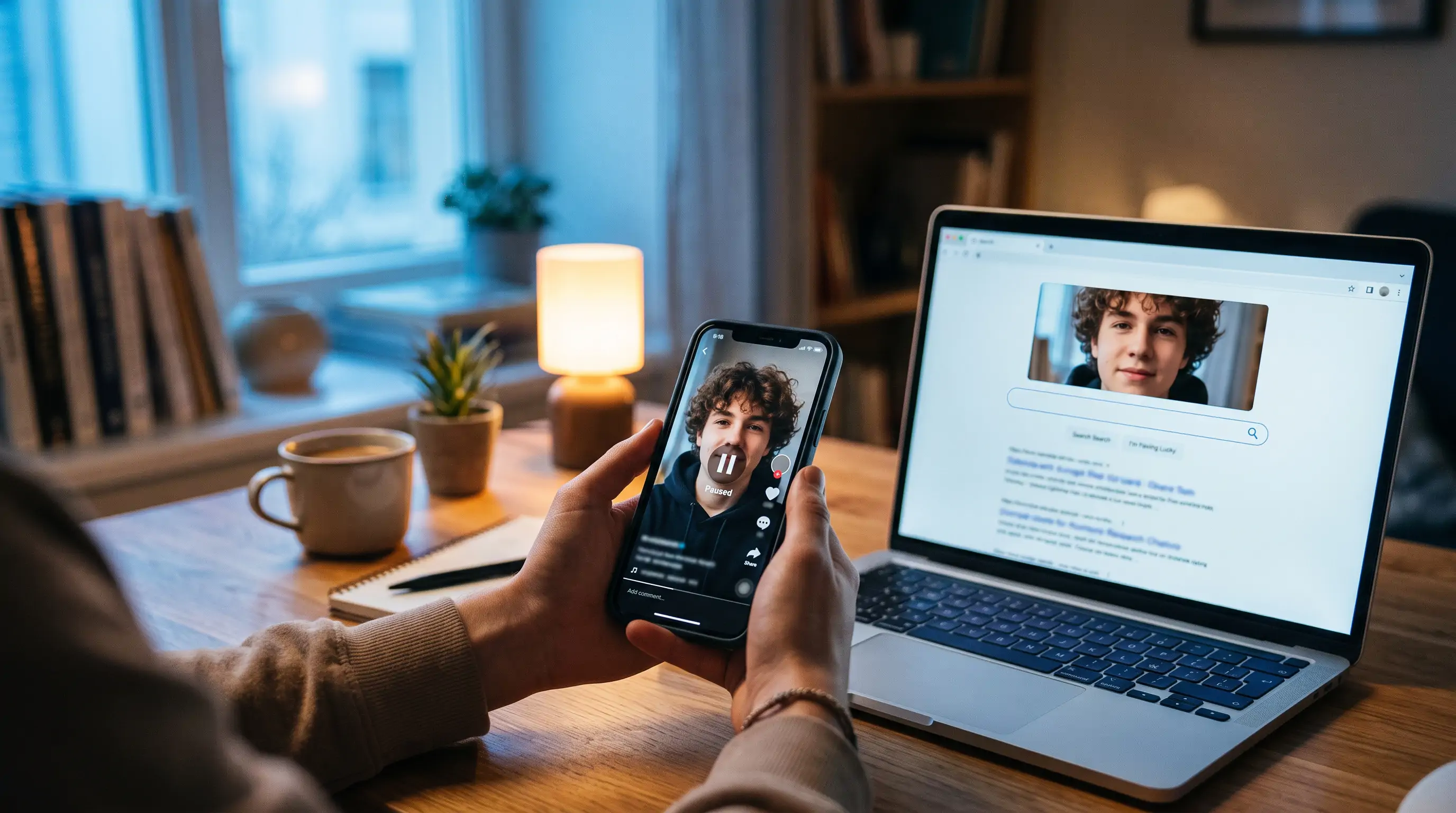
Someone sent you a TikTok clip, or a face keeps showing up on your For You page, or a "creator" is messaging you and you want to know if they are who they say they are. You have a photo or a screenshot. You do not have a username. TikTok's search bar cannot help: it matches text, hashtags and sounds, not faces. This guide shows you how to find someone on TikTok by photo anyway, which methods are worth your time, and where each one stops working.
In this article, we're going to discuss
Why TikTok Has No Reverse Image Search
TikTok is built around usernames, sounds and hashtags. Type a name into the search bar and you get accounts whose display name or handle contains that text. There is no "upload a photo" option for people. The camera icon you may see in the search field in some regions is for TikTok Shop: it matches products, not faces.
Google will not fill the gap either. Google Lens is good at landmarks and products, but it deliberately limits face matching for private individuals. Upload a face and you will usually get similar-looking stock photos, a confident identification of the sweater, or the message that results for people are limited. TinEye only finds exact copies of the same file, so a different photo of the same person returns nothing.
That leaves three approaches that do work, in order of how fast they are:
- Read the watermark or on-screen clues in the video itself.
- Run the face through a dedicated face search engine.
- Trace the person across other platforms and follow the links back to TikTok.
Method 1: Check the Watermark First
Every video downloaded or shared out of TikTok carries a moving watermark with the TikTok logo and the creator's @username. It drifts around the frame like the old DVD-player logo, so scrub through the clip and pause when it appears. Type that handle into TikTok search and you are done.
If the watermark has been cropped or blurred away, which reposters do on purpose, look for other clues before you reach for a search tool:
- Captions and stickers often name the creator or a collaborator.
- The sound is frequently the creator's own original audio. Tap it and the "original sound" credit links to their account.
- Duets and stitches show the original account's handle in the split frame.
- Comments on reposted clips almost always include someone asking "who is this?" and someone else answering. The most reliable search engine on the internet is still a stranger in the replies.
These take two minutes and cost nothing. Only move on when they come up empty.
Method 2: Face Search From a Screenshot
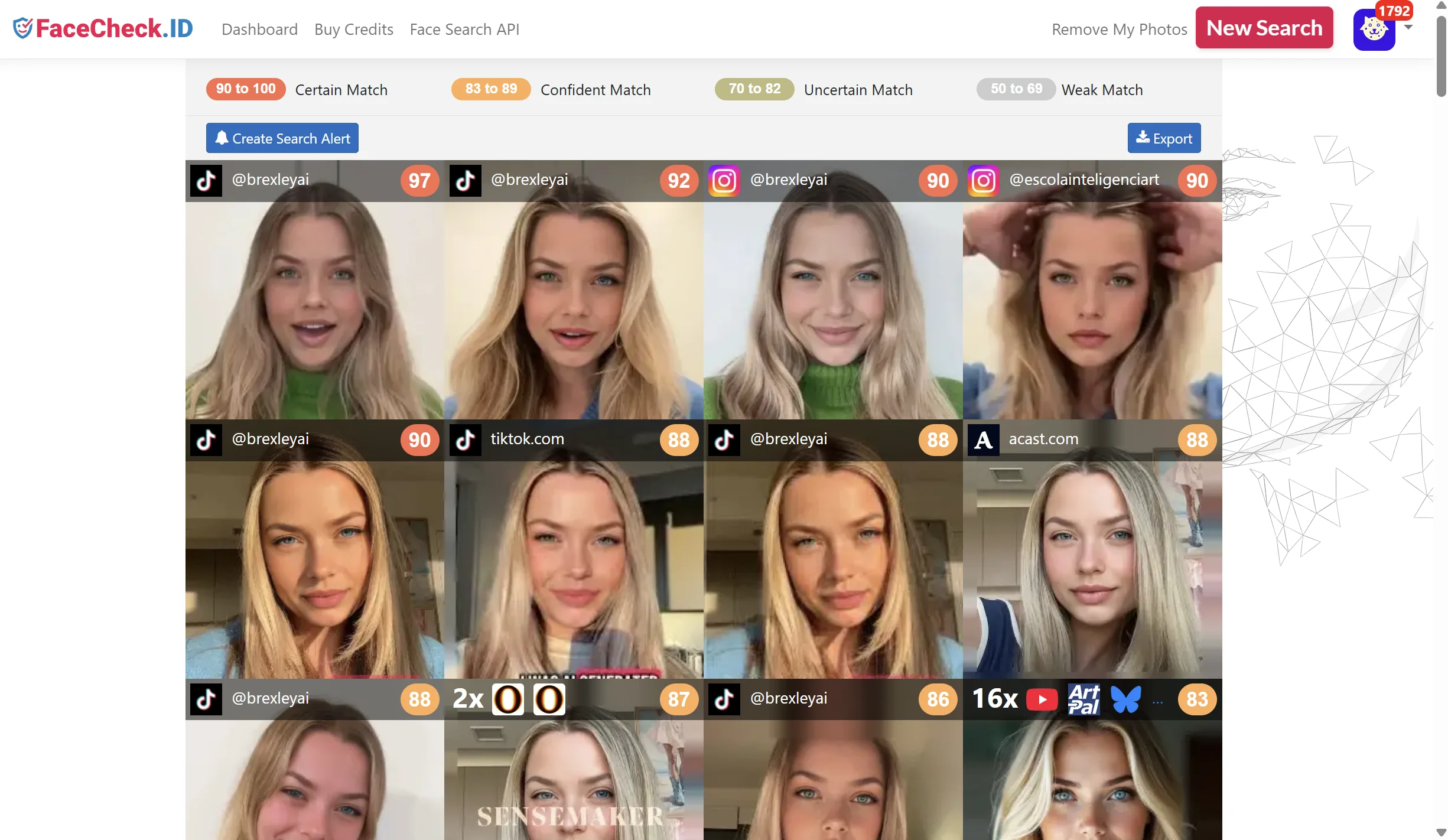
When all you have is a face, a face recognition search engine is the only tool that matches a person rather than an exact image. FaceCheck.ID indexes publicly visible photos from social media profiles, news sites, blogs and video platforms and returns the pages where a similar face appears, scored from 0 to 100.
The workflow is the same whether your source is a TikTok video, a profile picture or a photo someone sent you:
- Get a clean frame. Pause the video where the face is front-on, well lit and not covered by a filter or text overlay. Take a screenshot. For a profile picture, open the profile, tap the avatar to enlarge it, then screenshot.
- Crop to the face. The face should fill most of the image. Cut out the caption, the like counter and any other people in the frame. Our guide to reverse image searching a screenshot covers this in detail.
- Upload it to FaceCheck.ID and run the search. It takes a few seconds.
- Read the results by score. Matches in the 90s are almost certainly the same person; the 80s are confident; anything below 70 is a lookalike until you prove otherwise. Open the highest-scoring pages and compare more than one photo before you decide.
- Look for the TikTok handle. Some results will be TikTok pages directly. More often you will land on the same face on Instagram, YouTube, X or a personal site, and the TikTok handle is sitting in that profile's bio or link list.
A free search shows you every matching face thumbnail and its score, so you know whether there is a real hit before you spend anything. Credits unlock the links to the source pages, which is where the handle lives.
What face search cannot do
Be clear about the limits before you pay for anything. A face search engine can only match faces that appear on pages it has indexed. If the person has never posted a public photo anywhere except a private TikTok account, there is nothing to match. Heavy beauty filters, face-swap effects and AI-generated faces also defeat it, because the face in your screenshot does not exist on any real page.
And one hard rule: TikTok is full of teenagers, and FaceCheck.ID only searches for adults. The model is trained on adult faces, and searching for anyone under 18 is prohibited and grounds for a ban. If the person in the clip looks young, stop.
Method 3: Trace Them Across Platforms
TikTok creators almost never live on TikTok alone. Most cross-post to Instagram Reels and YouTube Shorts, and most put their other handles in their TikTok bio, so the connection works in both directions. If you already have a name, a handle from another platform, or a face match on another site, you can walk it back to TikTok:
- Same handle. Most people reuse one username everywhere, including the one they chose a decade ago and would not choose again. Try the Instagram or X handle in TikTok search, with and without underscores and numbers.
- Bio links. Instagram bios, YouTube "About" pages and Linktree-style pages usually list TikTok explicitly, and the same trick works when you find someone on Fansly.
- Google with a site filter. Search
site:tiktok.com "Their Name"orsite:tiktok.com "@handle"to find TikTok profile and video pages Google has indexed. - Cross-posted videos. Search the exact caption text or a distinctive line from the video on YouTube and Instagram. The reposted copy usually credits the original.
If you need the first step, our guides to finding someone on Instagram by photo and finding people on social media by photo walk through the face search on those platforms.
When You Should Actually Do This
Searching for a stranger because you thought they were attractive is not a good reason, and it is the kind of use that gets face search tools banned. These are the situations where a TikTok photo search is legitimate and worth the effort:
- Someone is using your face. A fan page, impersonation account or "leaked" video is circulating your likeness. Finding every copy is the first step to reporting it.
- A "creator" is messaging you. Crypto tips, brand deals and romance approaches from a verified-looking TikTok account are a common scam opening. Face search shows whether the profile photo belongs to someone else entirely.
- You want to credit the original. You are about to repost or write about a clip and need the actual creator, not the reposter.
- A public figure you cannot place. The person is clearly a creator or performer and you want their account, not their private life, much like when you find someone on OnlyFans.
In every case, treat a face match as a lead and confirm it with a second source: a matching video on another platform, a consistent handle, or a bio that links back. Similar faces are common, and scammers deliberately use photos of innocent people.
FAQ
Does TikTok have a reverse image search?
No. TikTok search works on text, hashtags and sounds. The camera icon in the search field, where it appears, is for finding TikTok Shop products and will not match a face. To find a person from a photo you need an outside tool such as a face search engine.
Can I find someone's TikTok from a video screenshot?
Yes, in two ways. Check the video for the TikTok watermark, which shows the creator's @username, or pause on a clear frame of the face, crop it and run it through a face search engine like FaceCheck.ID. Results that land on other platforms usually lead back to the TikTok handle through the bio.
Can I find a TikTok account from a profile picture?
Often. Enlarge the profile picture, screenshot it, crop to the face and run a face search. If the same photo or the same person appears on Instagram, YouTube or elsewhere, that profile usually names the TikTok account. If the photo is a cartoon, a pet or an AI-generated face, face search will not help.
Why does Google Lens not find TikTok accounts?
Google intentionally restricts face matching for private individuals, so Lens returns lookalike stock images or a "results for people are limited" notice instead of profiles. It can still find a TikTok page if the exact same image is indexed, but it will not match a different photo of the same person.
Is it legal to search for someone on TikTok by photo?
Searching publicly available images is legal in most places, and face search engines operate openly. What you do with the result is what matters: verifying identity, exposing impersonation and stopping scams are fine; stalking, harassment and doxxing are not, regardless of the tool. Never search for minors.
Will the person know I searched for them?
No. FaceCheck.ID searches do not notify anyone, the uploaded photo is not added to the index, and search history is deleted within 24 hours. The person only finds out if you contact them.

Read More on Search by Face
The 4 Simple Steps To Find Someone Using Face Search Engine
Got a photo but no name? Traditional reverse image searches like Google and Bing are pretty useless for matching faces - they focus on backgrounds and colors instead. Here's a 4-step method that actually uses facial recognition to trace a face back to social media profiles.
On the subject in other languages
 Como Encontrar Alguém no TikTok por Foto (2026)
 如何通过照片在 TikTok 上找到某人(2026)
 Jak najít někoho na TikToku podle fotografie (2026)
 So finden Sie jemanden auf TikTok anhand eines Fotos (2026)
 Cómo encontrar a alguien en TikTok por una foto (2026)
 Comment trouver quelqu’un sur TikTok à partir d’une photo (2026)
 Come trovare qualcuno su TikTok tramite foto (2026)
 写真からTikTok上の人物を見つける方法(2026年)
 사진으로 TikTok에서 사람을 찾는 방법(2026년)
 Jak znaleźć kogoś na TikToku na podstawie zdjęcia (2026)
 Как найти человека в TikTok по фотографии (2026)
 كيفية العثور على شخص على TikTok باستخدام صورة (٢٠٢٦)
 TikTok'ta Fotoğrafla Birini Nasıl Bulursunuz (2026)
Popular Topics
Face Recognition Search Engine Face Recognition Search Face Search Engine Identity Social Media Image Search Facial Recognition Reverse Image Search People on Social Media How To Instagram Social Media Profiles TinEye Find Someone Scammers Identification OnlyFans Fansly YouTube Photo Search How to Find Someone Screenshot Google Lens Face Search Face Match Face Swap Watermarking ImpersonationFace Search Engine Comparison: PimEyes vs FaceCheck Detailed Test Results