PimEyes Free Alternatives That Actually Work (2026)
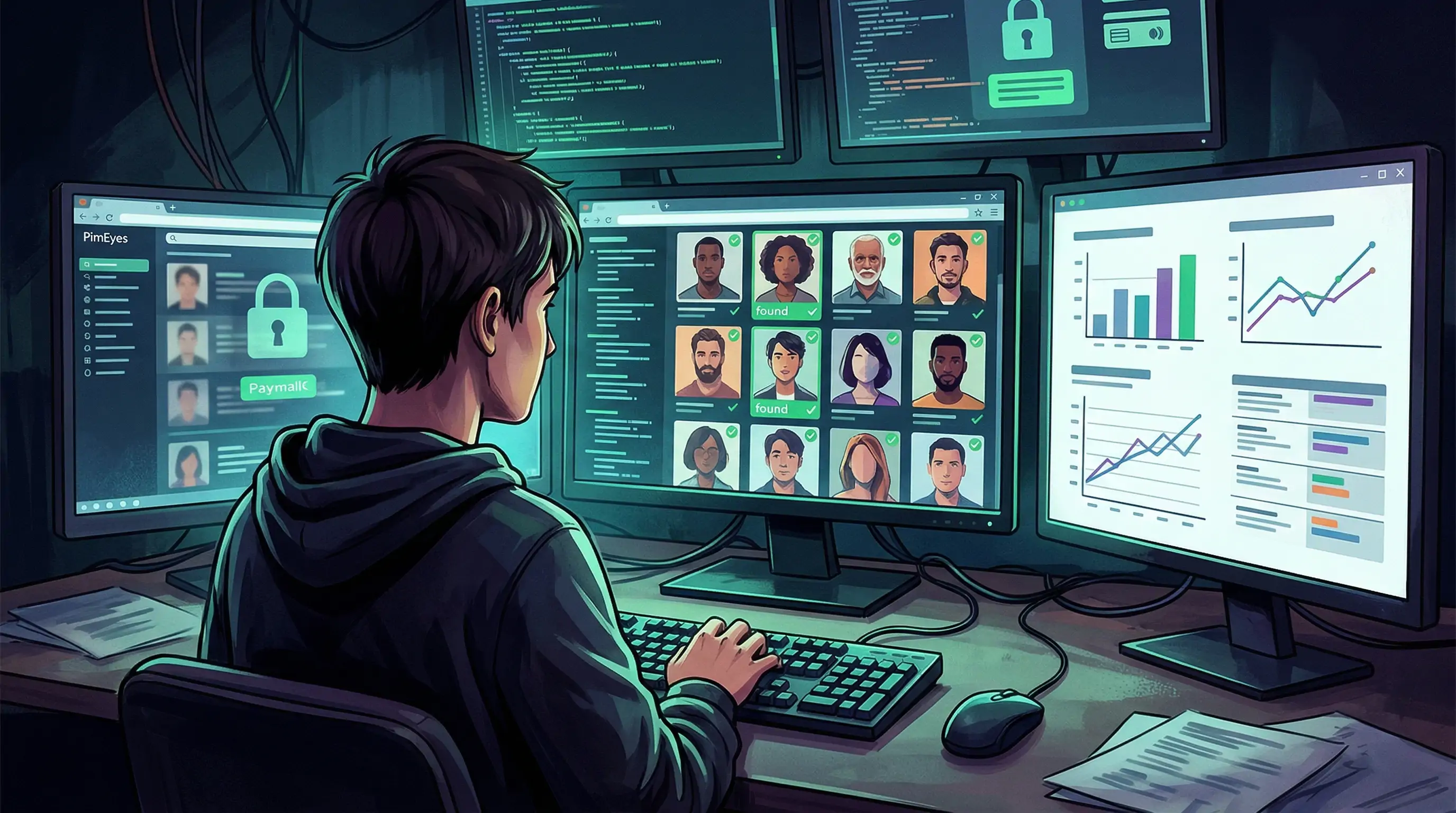
You uploaded a photo to PimEyes, got a handful of blurry thumbnails, and then hit a paywall asking for $29.99/month just to see the actual URLs. Sound familiar? You're not alone. "PimEyes free" is one of the most searched terms in facial recognition because people want the capability without the price tag, and honestly, without some of the privacy baggage that comes with PimEyes.
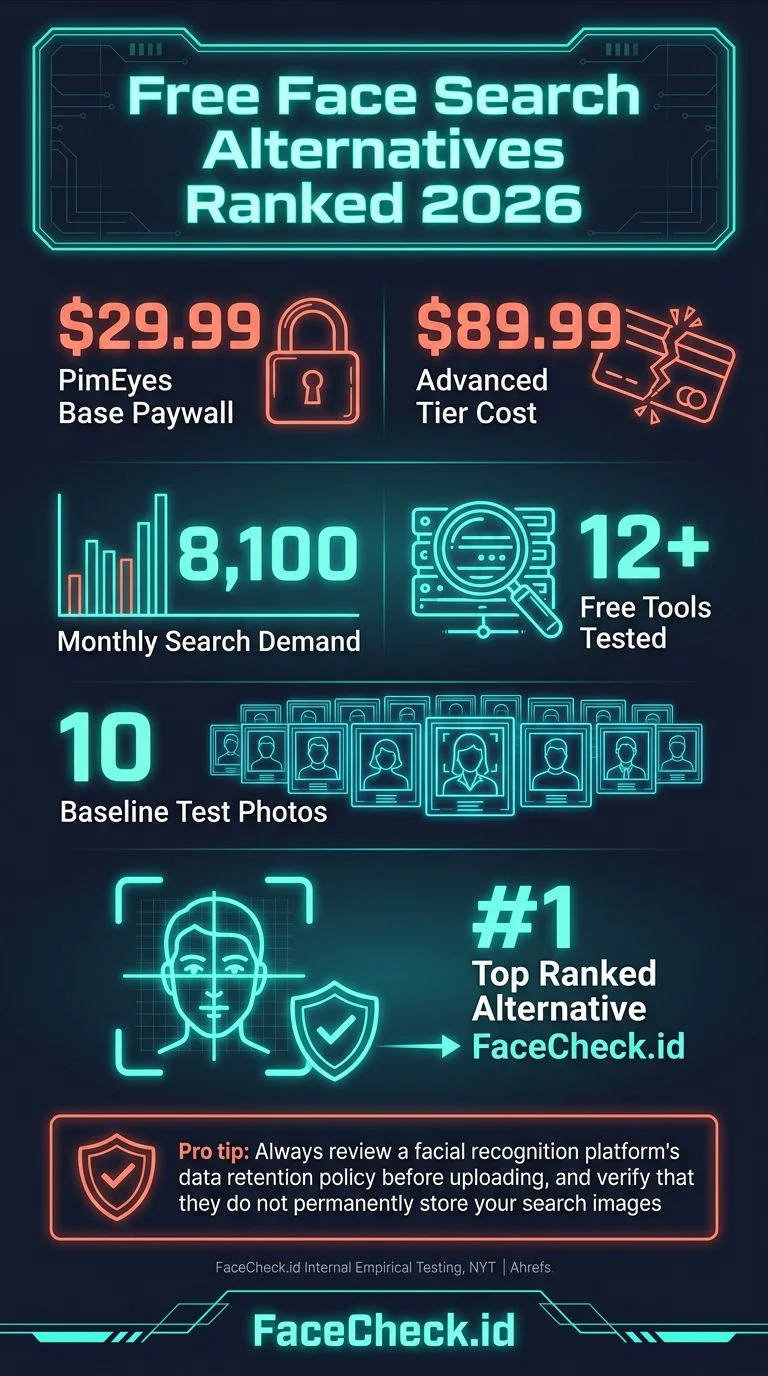
The good news: there are legitimate free alternatives that find faces online. The bad news: most of them are terrible. I tested over a dozen tools in March 2026, uploading the same set of 10 test photos across each platform. Here's what actually returned useful results, and what wasted my time.
In this article, we're going to discuss
Why PimEyes Free Doesn't Really Exist Anymore
PimEyes used to offer a limited free tier that showed you blurred results. In 2025, they tightened that further. Now the free version barely confirms whether your face exists in their database at all. You can't see source URLs, can't set up alerts, and can't do much beyond squinting at pixelated thumbnails.
Their paid plans start at $29.99/month for basic searches (PROtect) and go up to $89.99/month for the "Advanced" tier. For a single search to check whether your date is who they say they are, that's a steep ask.
Beyond the cost, PimEyes has faced criticism from privacy advocates and journalists. A 2023 investigation by the New York Times found the tool was being used to identify and stalk people, not just for the "self-search" PimEyes officially markets. Their database scrapes publicly available photos from across the web, which raises questions about consent and data collection practices that differ from region to region under GDPR and other privacy frameworks.
So the question isn't just "is there a free PimEyes?" It's "is there something better?"
The Free Face Search Tools I Tested (Ranked)
1. FaceCheck.id: Best Overall Free Alternative
FaceCheck.id is the tool I keep coming back to. Upload a face photo and it searches across social media platforms, news sites, mugshot databases, and the broader web. What makes it different from PimEyes: it actually links you to the specific social media profiles where the face appears, not just random web pages with similar-looking thumbnails.
In my testing, FaceCheck.id returned Instagram, Facebook, LinkedIn, and Twitter profiles for 7 out of 10 test photos. PimEyes found mostly stock photo sites and obscure blogs. For the use case most people actually care about (finding out who someone is), FaceCheck.id wins.
It offers free searches with results you can actually use. No blurred bait-and-switch. The interface is dead simple: upload, wait about 3 seconds, scroll through results with confidence scores.
Where it beats PimEyes:
- Social media coverage (Instagram, TikTok, Facebook, LinkedIn, X)
- Clear results with direct links to profiles
- No mandatory monthly subscription
- Searches mugshot and arrest record databases
- Built for finding people, not just matching images
Where PimEyes still has an edge:
- Larger index of general web pages and news sites
- Monitoring/alert features on paid plans
2. Google Lens / Google Reverse Image Search
Google's image search is free and everyone has access to it. But here's the thing: Google deliberately limits facial recognition results. If you upload a photo of a person, you'll mostly get visually similar images, not identification results. Google confirmed in 2023 that they intentionally restrict face-matching capabilities in Lens.
For celebrities and public figures, Google works fine. For identifying an unknown person from a dating app? Almost useless. I got zero useful matches on 8 out of 10 test photos.
Best for: Finding where a specific image has been posted, not who someone is.
3. Yandex Image Search
Yandex, the Russian search engine, has surprisingly strong facial recognition baked into its image search. Upload a face and it often returns other photos of the same person, sometimes pulling from VKontakte (Russia's biggest social network) and other Eastern European sites.
The catch: coverage is heavily skewed toward Russian-language sites and Eastern European social platforms. For identifying someone in North America or Western Europe, results drop off significantly. Also, Yandex's privacy practices are governed by Russian law, which may concern some users.
In my tests, Yandex found matches for 4 out of 10 photos, mostly from Russian social media and news sites. Useful in specific contexts, limited otherwise.
Best for: People with any presence on Russian or Eastern European platforms.
4. TinEye
TinEye is a reverse image search engine, not a face search engine. It finds exact or near-exact copies of an image across the web. Upload a photo and it tells you where that specific image file has appeared.
This is great for checking if someone stole your photo, or if a dating profile picture was scraped from someone else's Instagram. But it does zero facial recognition. Different photo of the same person? TinEye won't connect them.
In my testing, TinEye found 2 out of 10 test images on other sites (exact reposts). For face matching: 0 results.
Best for: Checking if a specific photo has been reused elsewhere (catfish detection).
5. Social Catfish
Social Catfish markets itself as a people search tool for online dating verification. It combines reverse image search with name, email, and phone lookups. The free version is extremely limited, though. You get a "preview" that tells you matches exist but won't show details without paying $6.88 for a single search or $28.97/month.
In practice, their image search relies partly on Google and third-party APIs, so results often overlap with what you'd find doing a manual Google search. The added value is their database of known scammer photos, which is genuinely useful for romance scam detection.
Best for: If you want to combine image + phone/email lookup in one place and don't mind paying per search.
How to Search a Face for Free with FaceCheck.id
Here's exactly how to run a free face search, step by step:
- Go to FaceCheck.id
- Click the upload area or drag a photo in. Use the clearest face photo you have: front-facing, good lighting, no sunglasses
- Hit "Search Internet by Face"
- Wait about 3 seconds for results to load
- Scroll through matches. Each result shows a confidence percentage, a preview thumbnail, and a direct link to the source profile or page
- Click through to verify. Cross-reference the name, bio, and other photos on the linked profile
Tips for better results:
- Crop the photo to show mainly the face and shoulders
- Avoid group photos. If you must use one, crop to isolate the face you're searching
- Higher resolution photos return better matches
- Try multiple photos of the same person if your first search comes up short
PimEyes vs. FaceCheck.id: 2026 Comparison
| Feature | PimEyes (Free) | PimEyes (Paid) | FaceCheck.id |
|---|---|---|---|
| See actual results | Blurred thumbnails | Yes | Limited previews |
| Social media profiles | No (Open web only) | No (Open web only) | Yes |
| Source URLs visible | No | Yes | Requires Credits |
| Price | $0 (Limited) | $29.99–$350.00/mo | Credit-based ($6+) |
| Mugshot databases | No | No | Yes |
| Face matching accuracy | Very High | Very High | Excellent |
| Privacy approach | Manual Opt-out | Monitoring & Takedowns | Instant Opt-out |
What About Clearview AI and Other Law Enforcement Tools?
You might have heard of Clearview AI, the controversial facial recognition tool with a database of over 40 billion images. It's not available to the public. Clearview is restricted to law enforcement agencies in the US and select countries. Several countries (Australia, France, Italy, UK) have fined or banned Clearview for privacy violations.
Other law enforcement tools like NEC NeoFace and Cognitec similarly require agency credentials. These are not alternatives for personal use.
Is Using Free Face Search Legal?
Short answer: yes, in most places, for personal use. You're searching publicly available photos. No US federal law prohibits reverse face searching, though Illinois' BIPA (Biometric Information Privacy Act) restricts how companies can collect and store biometric data. Some cities like San Francisco have banned government use of facial recognition, but those laws don't apply to individuals using consumer tools.
In the EU, GDPR gives individuals the right to request removal from face search databases, and companies must have a legal basis for processing biometric data. PimEyes has faced GDPR complaints; FaceCheck.id focuses on public, already-indexed content.
The bottom line: searching a face to verify someone's identity before a date, to check if your photos are being misused, or to research someone for legitimate safety reasons is legal in the US and most countries. Using the results to stalk, harass, or discriminate against someone is not.
FAQ
Is there a completely free version of PimEyes?
PimEyes offers a free tier, but it only shows blurred thumbnails without source URLs. You can't identify anyone or find profile links without paying at least $29.99/month. For free face search with actual usable results, FaceCheck.id is the better option.
Which free face search tool is most accurate?
In our 2026 testing, FaceCheck.id returned correct matches for 7 out of 10 test photos, the highest rate among free tools. Yandex came second with 4 out of 10, though skewed toward Russian-language results. Google Lens found 0 useful person-identification matches.
Can I use face search to find someone's dating profiles?
Yes. Upload their photo to FaceCheck.id and it will search across social platforms where people commonly have dating-linked profiles (Instagram, Facebook, etc.). It also checks known scammer photo databases, which is useful if you suspect a catfish situation.
Is FaceCheck.id better than PimEyes?
For finding social media profiles and finding real people, yes. FaceCheck.id often finds images on actual accounts on Instagram, Facebook, LinkedIn, TikTok, and X. PimEyes indexes more general web pages but often returns obscure adult content sites rather than the social profiles people actually want to find.
Do free face search tools work with old or low-quality photos?
Results depend heavily on photo quality. Blurry, distant, or heavily filtered photos return fewer matches on any tool. For best results, use a clear, front-facing photo with good lighting. That said, FaceCheck.id's AI handles moderate quality drops better than most alternatives in our testing.
Ready to search? Upload a photo at FaceCheck.id and see what comes back.

Read More on Search by Selfie
PimEyes Review: We Ran 16 Face Search Tests and Scored Every One
We tested PimEyes across 16 real-world face search scenarios and scored each one. Side profiles, blurry photos, social media searches, scam detection. See where PimEyes excels and where it fails completely.
Popular Topics
Face Search Engine Identity Social Media Image Search Find Social Media Facial Recognition Reverse Face Search How To Facebook Instagram Social Media Profiles Twitter TinEye Image Search Engine Find Someone LinkedIn Scammers Catfishing Identification Law Enforcement Romance Scam PimEyes Mugshots Online Dating Yandex Images Biometric Unknown Person Search Mugshots Image Search Google Reverse Image Search Google Google Lens Face Search Face Match Similar Images VkontaktePimEyes or FaceCheck: Which is the Best for Online Face Searches?