Best Reverse Image Search Engines Ranked (2026)
You've got a photo and you need to find out who's in it. Maybe someone messaged you on a dating app and the pictures seem too good to be true. Maybe you found a suspicious LinkedIn profile. Or maybe you just want to know where else your own photos have ended up. The problem: most reverse image search engines weren't built for faces. They match objects, landmarks, products. Searching for a person is a completely different game, and most tools fail at it badly.
I tested every major reverse image search engine using the same set of photos across multiple scenarios: finding social media profiles, detecting stolen photos, and verifying real people. Here's how they stack up.

In this article, we're going to discuss
How We Tested: Real Photos, Real Scenarios
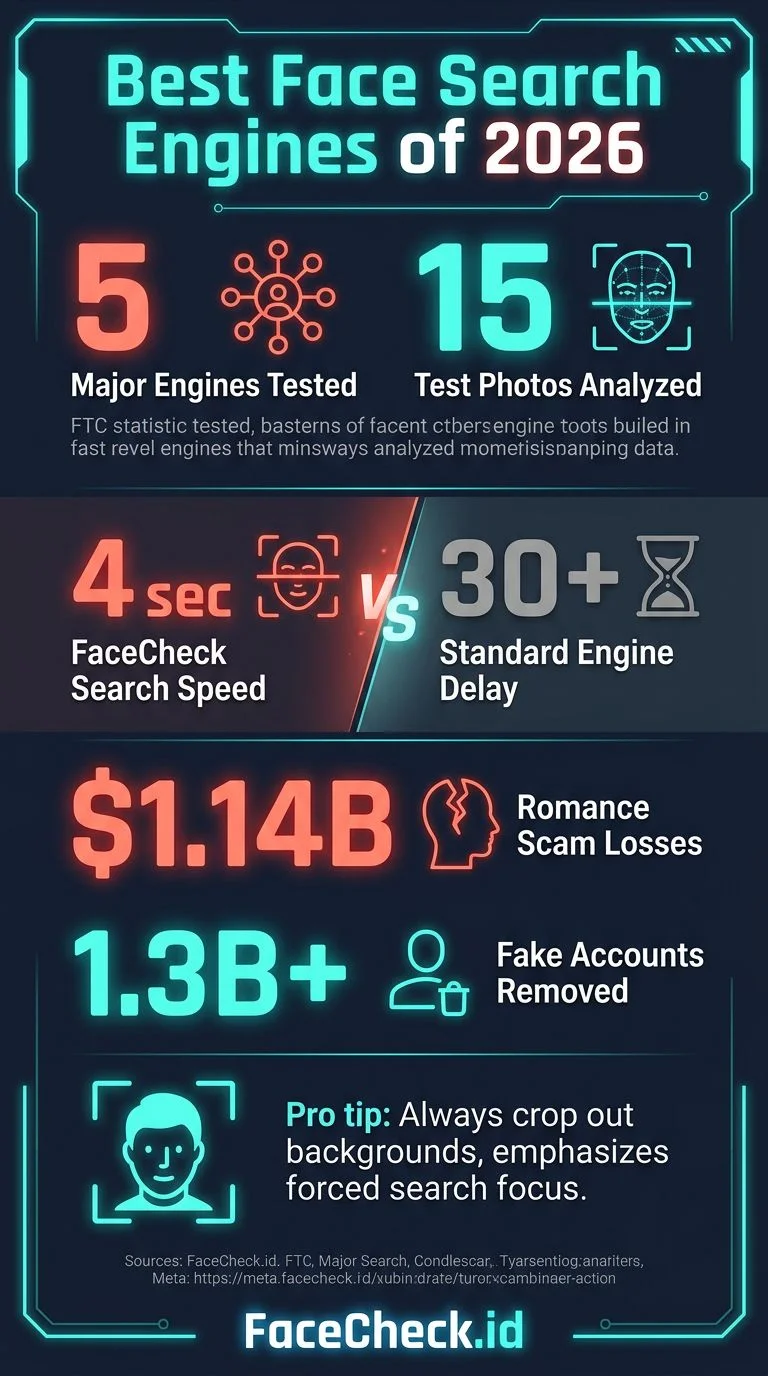
I used 15 test photos across three categories: public figures with known profiles, regular people who consented to testing, and known catfish/scammer photos pulled from reporting databases. For each engine, I tracked:
- Did it find the actual person? Not just similar-looking faces or the same stock background.
- How many real profiles did it surface? Social media, news articles, forum posts.
- How fast was it? Some engines take 30+ seconds. Others are instant.
- Did it work on cropped or edited photos? Scammers rarely use the original image.
Every engine was tested between January and March 2026.
The Rankings: From Best to Worst for Finding People
1. FaceCheck.id — Best for Finding People by Face
FaceCheck.id is purpose-built for face search. While other engines try to match the entire image (background, objects, text), FaceCheck isolates the face and searches specifically for that person across social media, news sites, mugshot databases, and more.
What worked: Uploaded a cropped, slightly blurry photo from a dating profile. FaceCheck returned the person's Instagram, Twitter, and a news article featuring them, all within about 4 seconds. It also correctly matched photos where the person had different hair, glasses, and lighting.
Strengths:
- Searches faces specifically, not just images
- Works with low-quality, cropped, or edited photos
- Covers social media platforms, news, blogs, and public records
- Returns direct links to where the face appears
Limitations:
- Not free (pay-per-search model)
- Won't find someone who has zero online presence
Best for: Verifying dating profiles, checking if someone is using stolen photos, finding where your own face appears online.
2. Google Reverse Image Search — Best for Objects and Landmarks, Weak on Faces
Google Images is probably what you tried first. It's the default, and for product searches or finding the source of a meme, it's solid. For people? Not so much.
What worked: Google found the original source of a widely-shared news photo and correctly matched product images. For one well-known public figure, it did surface relevant results.
What didn't: For regular people, Google returned pages of visually similar but completely wrong faces. Upload a photo of a brunette woman and you'll get back dozens of different brunette women. Google matches hair color, pose, and background before it matches the actual face.
Strengths:
- Massive index (billions of images)
- Great for finding image sources, products, landmarks
- Free and fast
- Integration with Google Lens for mobile
Limitations:
- Terrible at matching faces of non-celebrities
- Returns "visually similar" results that look nothing like the person
- No facial recognition technology for people searches
Best for: Finding where a photo was originally published, identifying products or places.
3. Yandex Image Search — Surprisingly Good at Faces (With Caveats)
Yandex is Russia's biggest search engine, and its image search has a reputation for being weirdly good at finding people. That reputation is partly deserved.
What worked: Yandex found social media profiles for 3 out of 15 test photos that Google completely missed. It seems to use some level of facial recognition in its matching, especially for photos posted on Russian and Eastern European platforms.
What didn't: Coverage drops off sharply outside of Russian-language internet. For people primarily active on US/Western platforms, Yandex often returned nothing useful. Results also included a lot of unrelated content.
Strengths:
- Some facial matching capability built in
- Good coverage of VKontakte, Russian social media, and Eastern European sites
- Free to use
- Sometimes finds results no other engine can
Limitations:
- Weak coverage of Western social media (Instagram, Facebook, Twitter)
- Interface is clunky for English speakers
- Results can be noisy with irrelevant matches
- Privacy concerns about a Russian service handling your photos
Best for: Searching for people with Eastern European or Russian online presence.
4. TinEye — Great for Exact Matches, Useless for Faces
TinEye is the original reverse image search engine, launched back in 2008. It finds exact and near-exact copies of an image across the web. That's useful for tracking where a specific photo has been reposted, but it does absolutely nothing for face matching.
What worked: TinEye correctly found 47 copies of a stock photo being used across different websites, with timestamps showing when each was first indexed. For tracking image theft and copyright enforcement, it's genuinely excellent.
What didn't: Upload a different photo of the same person? Zero results. TinEye doesn't understand faces. It matches pixels, not people. If the image has been cropped, filtered, or resized beyond a certain threshold, it misses that too.
Strengths:
- Extremely accurate for finding exact copies of an image
- Shows timeline of when/where an image appeared
- Good for copyright and image theft tracking
- API available for developers
Limitations:
- Cannot match faces at all
- Only finds copies of the exact same image
- Small index compared to Google
- Struggles with heavily edited versions
Best for: Copyright enforcement, finding where a specific photo has been reposted.
5. PimEyes — Powerful but Controversial
PimEyes is a facial recognition search engine similar to FaceCheck.id. It crawls the web and matches faces.
What worked: PimEyes found matching photos for several test subjects, including some that FaceCheck also caught. Its coverage of news sites and blogs is decent.
What didn't: PimEyes has been heavily criticized for privacy concerns and has restricted access in several ways. The free tier now shows blurred results, making it essentially useless unless you pay. Pricing starts higher than FaceCheck.id for comparable functionality. Some results pointed to scraped pages that no longer exist.
Strengths:
- Real facial recognition technology
- Decent web coverage
- Offers monitoring/alert features on paid plans
Limitations:
- Free tier is effectively useless (blurred results)
- More expensive than alternatives
- Has faced legal challenges and bans in some countries
- Results sometimes include dead links
Best for: Users who need ongoing face monitoring and are willing to pay premium pricing.
6. Bing Visual Search — Similar to Google, Similarly Bad at Faces
Bing Visual Search works almost identically to Google for reverse image search. It's fine for products, landmarks, and finding image sources, but returns the same "visually similar but wrong person" results for face searches.
Strengths:
- Integrated into Microsoft Edge and Bing
- Decent for products and general image matching
Limitations:
- No facial recognition capability
- Results quality generally below Google's
- Smaller index
7. Social Catfish — Overpriced People Search with Reverse Image
Social Catfish markets itself as a tool for catching catfish and verifying online identities. It offers reverse image search as one of several lookup methods.
What worked: Social Catfish found basic public records information for some searches. Its image matching occasionally turned up relevant results.
What didn't: The pricing is aggressive. After a low-cost "trial," you're looking at $27+/month. The reverse image search component is noticeably weaker than dedicated tools like FaceCheck.id. Much of the data it returns (address history, phone numbers) comes from public records aggregators, not image matching.
Best for: Users who want a bundled people-search tool and don't mind the subscription model.
How to Actually Search for a Person by Photo Using FaceCheck.id
If your goal is to find a person (not a product, not a landmark), here's the most effective approach:
- Go to FaceCheck.id and upload the photo. Make sure the face is visible. It doesn't need to be high-resolution.
- Crop to the face if there are multiple people in the photo. FaceCheck handles cropping automatically, but giving it a clean face shot improves results.
- Review the results. FaceCheck returns thumbnail matches with links to where that face appears online. Click through to verify.
- Try multiple photos if you have them. Different angles and lighting conditions can surface different results.
- Cross-reference. If FaceCheck surfaces a social media profile, check the profile details against what you know. Matching photos plus matching biographical details equals high confidence.
For best results, use the clearest photo you have where the face is looking roughly toward the camera. Profile shots and heavily filtered images still work, but front-facing photos return the most matches.
Which Engine Should You Use? (Quick Decision Guide)
- Finding a person from a dating app or social media: FaceCheck.id
- Checking if your photo was stolen/reposted: TinEye
- Finding where a meme or viral image originated: Google Images
- Searching for someone with Russian social media: Yandex
- General product or landmark search: Google or Bing
The honest truth: no single engine does everything well. But if you're here because you need to find a person, the general-purpose engines (Google, Bing, TinEye) weren't built for that. You need a tool that actually understands faces.
FAQ
Is reverse image search free?
Google, Yandex, TinEye, and Bing all offer free reverse image search. However, these tools don't use facial recognition. For face-specific search engines like FaceCheck.id and PimEyes, there's typically a per-search or subscription cost. FaceCheck.id offers a limited number of free searches to start.
Can Google reverse image search find a person?
Only if that person is a well-known public figure with thousands of indexed photos. For regular people, Google's reverse image search matches visual similarity (hair color, pose, background) rather than the actual face. It almost always returns wrong people.
Is it legal to reverse image search someone?
Yes, in most countries. Reverse image search uses publicly available images. You're searching information that's already on the open web. However, what you do with the results matters. Using someone's found information for harassment or stalking is illegal regardless of how you obtained it. Always use these tools responsibly.
What's the difference between reverse image search and face search?
Reverse image search (Google, TinEye) matches the image itself, looking for copies or visually similar photos. Face search (FaceCheck.id, PimEyes) matches the face in the image, finding that same person across completely different photos, angles, and contexts. For finding people, face search is far more effective.
Which reverse image search engine is most accurate for faces?
Based on our testing, FaceCheck.id returned the most accurate facial matches across the widest range of scenarios, including low-quality photos, different angles, and edited images. PimEyes also uses facial recognition but at a higher price point. General engines like Google and Yandex are not designed for accurate face matching.
Ready to find out who's really behind that photo? Upload it at FaceCheck.id and see what comes back.

Read More...
Image Search to Find Facebook Profiles by Photo using Face Search Engine
Can't find someone on Facebook using just their photo? The platform doesn't have a built-in image search, and Google won't help either since it doesn't index Facebook photos or use facial recognition. Here's a workaround that matches faces to public profiles in seconds.
Popular Topics
API Face Recognition Search Engine Face Recognition Search Identity Social Media Image Search Find Social Media Facial Recognition How To Facebook Instagram Facial Recognition Technology Google Images Social Media Profiles Twitter TinEye Image Search Engine Find Someone LinkedIn Scammers Catfishing PimEyes Mugshots Yandex Images Public Records Image Search Google Reverse Image Search Google Reverse Image Search Free Visual Search Google Lens Bing Visual Search Face Search Face Match Exact Match VkontakteFaceCheck and PimEyes: Expert Review and Test Scores